


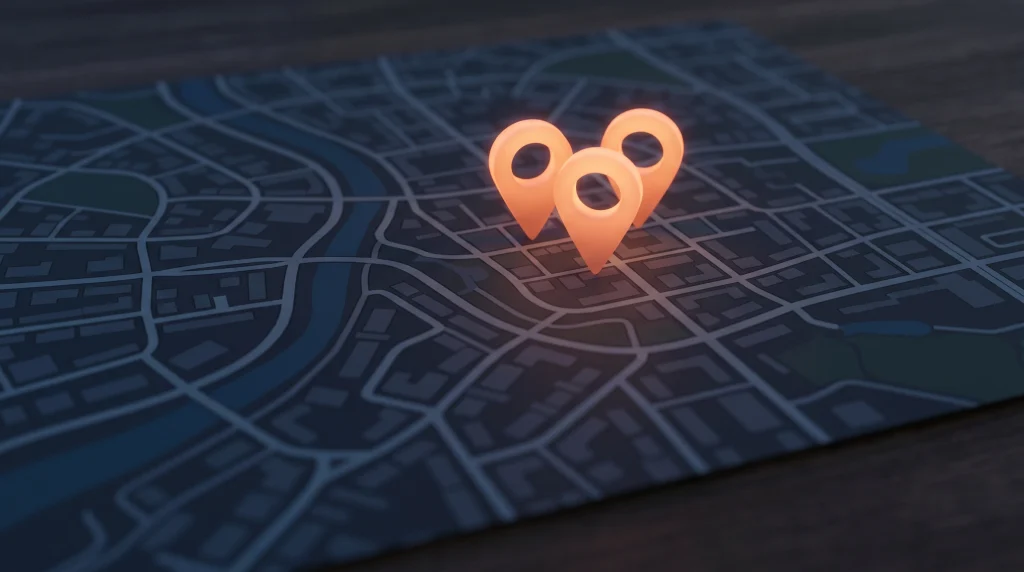
Search for “AC repair near me” or “emergency plumber” in any city and the same thing appears at the top: a map with three businesses underneath it. Those three businesses get the calls. Everyone below them fights over what’s left.
That block is the Google Map Pack, and for a local service business it’s the most valuable real estate on the internet. A homeowner with a flooded basement isn’t scrolling to page two. They’re calling one of the three names in front of them.
The good news: the map pack isn’t won by the biggest budget. It’s won by the business that sends Google the clearest, most consistent signals. This article walks through exactly what those signals are and how to build them.
What the Map Pack Is and Why It Decides Who Gets the Call
The map pack (sometimes called the local pack or 3-pack) is the set of three local business listings Google shows for searches with local intent. It appears above the regular organic results for queries like “roof repair,” “dentist near me,” or “HVAC company in [city].”
For service businesses, these are the highest-intent searches that exist. Someone typing “water heater replacement” at 9 p.m. isn’t doing research. They have a problem and a credit card.
The map pack also shows your reviews, your star rating, and a call button right in the results. Many customers never visit a website at all. They scan the three options, pick the one with strong reviews, and tap to call.
That’s why ranking in the map pack matters more for most service businesses than ranking anywhere else. It’s also why your competitors who appear there consistently aren’t lucky. They’re doing specific things you can do too.
How Google Decides: Relevance, Distance, and Prominence
Google has said plainly that local rankings come down to three dimensions. Understanding them keeps you from wasting effort on things that don’t move the needle.
Relevance
Relevance is how well your business matches what the person searched for. Google figures this out from your Google Business Profile categories, the services you list, your business description, and the content on your website.
In practice: if you’re a plumber who also does drain cleaning, water heaters, and repiping, but your profile only says “Plumber” with no services listed, Google has to guess. Businesses that spell out everything they do give Google more searches to match them against.
Distance
Distance is how far your business location is from the person searching. You can’t change where your shop is, and you shouldn’t try to fake it. But you can influence how Google understands your service area through your profile settings and through service-area pages on your website.
Expect rankings to be strongest near your physical location and weaker toward the edges of your territory. That’s normal, and the rest of this article is about widening that radius as far as your signals allow.
Prominence
Prominence is Google’s read on how well-known and trusted your business is. It comes from your review count and rating, mentions of your business across the web, links to your site, and the overall strength of your online presence.
This is the dimension where most service businesses win or lose. Two companies in the same town with the same services can sit miles apart in the rankings because one has hundreds of recent reviews and a consistent presence everywhere, and the other has nineteen reviews and three different phone numbers floating around the internet.
Your Google Business Profile Is the Foundation
Everything starts with your Google Business Profile. It’s free, it feeds the map pack directly, and most owners leave half of it empty.
The essentials, in order of impact:
- Primary category. This is the single strongest relevance signal you control. An HVAC company should usually be “HVAC contractor,” not “Contractor.” Pick the most specific category that matches your core business.
- Secondary categories. Add every category that genuinely applies: air conditioning repair, furnace repair, heating contractor. Don’t add ones that don’t.
- Services. List every service you offer with a short description. This is how you show up for searches beyond your main category.
- Service area. Set the cities and zip codes you actually serve.
- Hours, phone, website. Accurate and current, including holiday hours. If you answer calls 24/7, say so.
- Photos. Real photos of your team, trucks, and completed work. Stock photos help no one.
This is a summary, not the full picture. We wrote a complete walkthrough in Google Business Profile Optimization: The Complete Checklist, and profile setup is a core piece of the Growth Foundations system we build for clients.
Reviews: Quantity, Velocity, and Replies
Reviews are the heaviest prominence signal you can influence, and they do double duty: they help you rank, and they convince the customer to pick you once you do.
Three things matter, and most businesses only think about the first one.
Quantity
More reviews than the competitors around you is the baseline goal. If the businesses ranking above you have triple your review count, that gap is part of the reason.
Velocity
A steady flow of new reviews matters more than a big number from three years ago. A business earning a few reviews every week looks alive. A business whose last review is from last spring looks closed.
The fix is a process, not a campaign: ask every customer at the moment the job wraps up, while they’re happy and standing in front of your technician. Text them a direct link to your review form. Make it a step in your job-close checklist, not something you do when you remember. This is exactly the kind of repeatable follow-up that automation systems handle without anyone having to remember.
Replies
Reply to every review, positive and negative. It signals an active business to Google, and it signals a responsive one to the next customer reading. For negative reviews, stay calm, acknowledge the issue, and take it offline. Prospects judge you more by how you handle the bad review than by the review itself.
Get Your Name, Address, and Phone Consistent Everywhere
Google cross-references your business information across the web: Yelp, the Better Business Bureau, Angi, industry directories, data aggregators, your Facebook page. These mentions are called citations.
When your name, address, and phone number match everywhere, Google’s confidence in your business goes up. When they don’t, it goes down.
Common ways this breaks for service businesses:
- An old phone number from before you switched to a tracking number or a new provider.
- A previous address still listed on directories you forgot existed.
- Name variations: “Smith Plumbing,” “Smith Plumbing LLC,” “Smith Plumbing & Drain.”
- Duplicate listings created years ago by a past employee or a past marketing company.
The work here is unglamorous: search for your business name and old phone numbers, find every listing, and correct or remove the wrong ones. Do it once thoroughly, then check quarterly. It’s tedious, which is exactly why the businesses that do it pull ahead.
On-Site Signals That Support Your Map Rankings
Your website backs up everything your profile claims. Google reads it to confirm relevance, and customers read it to confirm you’re legitimate.
The pieces that matter most for map pack performance:
- Service-area pages. A real page for each city or area you serve, with content specific to that area, not the same paragraph with the city name swapped. This is how you compete in towns where you don’t have a physical address.
- Service pages. One page per core service. A roofer should have separate pages for roof replacement, roof repair, and storm damage, because those are separate searches. The same logic applies whether you’re in roofing or HVAC.
- An embedded map. Embed your Google map on your contact page. It’s a small, simple confirmation of your location.
- Local business schema. A bit of code that tells search engines your name, address, phone, hours, and service area in a format they read directly. Your web developer can add it in an afternoon.
- Consistent contact info. Your name, address, and phone on the site should match your Google Business Profile exactly.
If your map pack work sits inside a broader plan, that’s by design. The map pack is one piece of local visibility, and we cover the rest in Local SEO for Service Businesses: From Invisible to Ranked.
How to Check Your Rankings Across Your Service Area
Here’s the trap most owners fall into: they search their own service from their office, see themselves in the map pack, and assume they’re winning everywhere.
They’re not. Map pack rankings shift block by block because distance is a ranking dimension. You might be first near your shop and invisible four miles away, in the neighborhood where your best customers live.
How to get a real picture:
- Use a geo-grid rank tracking tool. These check your ranking from dozens of points across your service area and show the results as a grid of scores over a map. Several affordable options exist, and the visual makes weak zones obvious.
- At minimum, search manually from different locations, or set a custom location in your browser’s developer tools, and use an incognito window so your history doesn’t skew results.
- Track a handful of your money keywords, not just your business name. Ranking for your own name is table stakes.
Check monthly. The pattern you’ll usually see: strong near your address, fading with distance. Service-area pages, reviews from customers in weak zones, and citation strength are how you push the strong zone outward.
Mistakes That Get Businesses Filtered or Suspended
Some shortcuts look tempting because competitors appear to get away with them. They work until they don’t, and the penalty is usually a suspended profile during your busy season.
- Keyword-stuffing your business name. Listing yourself as “Smith Plumbing – Water Heater Repair & Drain Cleaning [City]” when your legal name is Smith Plumbing violates Google’s rules. Competitors can report it, Google’s own checks catch it, and suspensions are painful to reverse.
- Fake or borrowed addresses. Virtual offices, a relative’s house in the next town, or P.O. boxes used to create extra listings. Google has gotten aggressive about verification, including video verification, and fake locations get removed.
- Review gating or buying. Filtering customers so only happy ones get asked, or buying reviews outright. Both violate policy, and purchased reviews have a pattern that’s easier to detect than sellers claim.
- Letting the profile go stale. Not a violation, just slow decay. Old photos, unanswered questions, no new reviews. Google rewards activity.
Play it straight. The boring, consistent approach wins on a long enough timeline, and it never gets your listing pulled the week a heat wave hits.
Frequently Asked Questions
How Long Does It Take to Rank in the Map Pack?
It depends on your starting point and your competition. A business with a verified profile, decent reviews, and a real website can often see movement within a few months of consistent work. A brand-new business in a crowded market should think in seasons, not weeks.
The encouraging part: most of your competitors are doing very little. Consistent reviews, a complete profile, and clean citations put you ahead of the pack faster than you’d expect.
Can I Rank in the Map Pack Without a Storefront?
Yes. Service-area businesses like plumbers, electricians, and mobile services can hide their address and define a service area instead. You’ll still rank, though generally strongest near the (hidden) location where the business is based. Strong reviews and service-area pages help extend reach beyond that.
Do Google Ads Help My Map Pack Ranking?
No. Paid ads and local rankings are separate systems, and spending on ads doesn’t buy ranking position. Ads can put you above the map pack while your organic position builds, which is a legitimate strategy, but it’s a parallel track, not a shortcut.
Why Did My Ranking Drop When Nothing Changed?
Usually one of three things: a competitor improved, Google updated its local algorithm, or something quietly broke, like a suspended listing, an unauthorized profile edit, or a review purge. Check your profile first, check your geo-grid second, and look at what the businesses now above you are doing differently before changing anything on your end.
If you’d rather see exactly where you stand before doing any of this, start with our free Growth Assessment. It shows you how visible your business actually is across your service area and what to fix first.